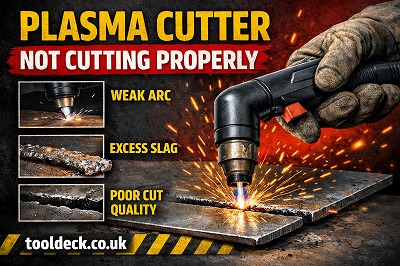
If your plasma cutter is not cutting properly, you’re not alone. This is one of the most common issues faced by both beginners and experienced users across the UK.
Poor cutting performance can lead to:
- Rough edges
- Incomplete cuts
- Excessive slag (dross)
- Wasted time and materials
The good news? Most plasma cutting problems are easy to diagnose and fix.
In this complete guide, we’ll walk you through:
- The most common causes
- Step-by-step fixes
- Pro tips to improve cutting performance
⚠️ Signs Your Plasma Cutter Is Not Cutting Properly
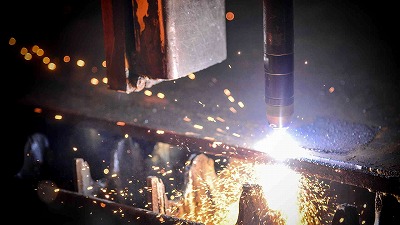
Before fixing the issue, identify the symptoms:
- ❌ Arc starts but doesn’t cut through
- ❌ Excessive slag on edges
- ❌ Rough or uneven cuts
- ❌ Arc keeps stopping
- ❌ Slow cutting speed
👉 These signs indicate your plasma cutter is not operating efficiently.
🔧 Plasma Cutter Not Cutting Properly – Common Causes & Fixes
🔹 1. Incorrect Amperage Settings
❌ Problem:
- Amperage too low → cannot cut through metal
- Amperage too high → rough edges and excessive wear
✅ Fix:
- Match amperage to material thickness
- Example:
- Thin metal → lower amps
- Thick metal → higher amps
👉 Always check your machine’s recommended settings.
🔹 2. Worn or Damaged Consumables
❌ Problem:
- Worn electrode or nozzle
- Poor arc quality
- Inconsistent cutting
✅ Fix:
- Inspect consumables regularly
- Replace if:
- Tip is enlarged
- Electrode is worn
👉 This is one of the most common causes.
🔹 3. Incorrect Air Pressure
❌ Problem:
- Low pressure → weak arc
- High pressure → unstable arc
✅ Fix:
- Adjust to recommended PSI (usually 60–90 PSI)
- Check compressor performance
👉 Stable airflow is critical for clean cuts.
🔹 4. Poor Ground Connection
❌ Problem:
- Weak or unstable arc
- Intermittent cutting
✅ Fix:
- Attach ground clamp to clean metal
- Remove rust, paint, or dirt
👉 A solid ground ensures proper current flow.
🔹 5. Cutting Too Fast or Too Slow
❌ Problem:
- Too fast → incomplete cuts
- Too slow → excessive slag
✅ Fix:
- Maintain steady cutting speed
- Watch the spark direction:
- Sparks downward → correct speed
👉 Speed control is key to quality cuts.
🔹 6. Incorrect Torch Height
❌ Problem:
- Too far → weak arc
- Too close → nozzle damage
✅ Fix:
- Maintain proper standoff distance (2–4 mm)
👉 Consistent torch height improves precision.
🔹 7. Dirty or Moist Air Supply
❌ Problem:
- Moisture damages consumables
- Causes unstable arc
✅ Fix:
- Use air dryer or filter
- Drain compressor regularly
👉 Clean air = better performance.
🔹 8. Wrong Consumables for Material
❌ Problem:
- Using incorrect tip or electrode
- Poor cut quality
✅ Fix:
- Use correct consumables for:
- Material type
- Thickness
👉 Always follow manufacturer recommendations.
🔹 9. Power Supply Issues
❌ Problem:
- Voltage fluctuations
- Weak cutting performance
✅ Fix:
- Ensure stable UK power supply (230V)
- Avoid extension leads if possible
👉 Power stability affects arc performance.
🔹 10. Machine Overheating
❌ Problem:
- Plasma cutter stops working
- Reduced performance
✅ Fix:
- Allow machine to cool
- Check duty cycle
👉 Do not exceed machine limits.
🧠 Pro Tips to Improve Plasma Cutting Performance
- Use correct amperage settings
- Keep consumables in good condition
- Maintain proper air pressure
- Practice consistent torch movement
- Keep equipment clean
❌ Common Mistakes to Avoid
❌ Ignoring worn consumables
✔ Replace regularly
❌ Incorrect settings
✔ Adjust based on material
❌ Poor grounding
✔ Ensure clean contact
🛡️ Safety Tips
- Always wear PPE
- Use proper ventilation
- Avoid cutting near flammable materials
❓ FAQs
Why is my plasma cutter not cutting through metal?
Likely due to low amperage or worn consumables.
Why is there too much slag?
Cutting too slow or incorrect settings.
How do I improve cut quality?
Adjust speed, height, and consumables.
How often should I replace consumables?
Depends on usage, but check regularly.
🏁 Final Thoughts
If your plasma cutter is not cutting properly, the issue is usually caused by incorrect settings, worn consumables, or poor airflow. By identifying the problem and applying the right fixes, you can restore clean, efficient cutting performance quickly.




Leave a Reply