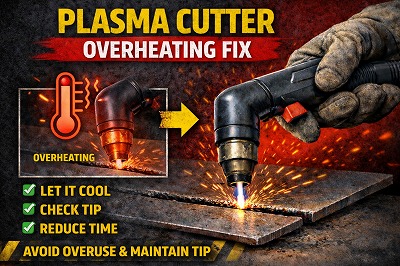
If your plasma cutter is overheating, it can interrupt your work, reduce cutting performance, and even damage the machine over time. This is a common issue for both beginners and experienced users in the UK—especially when working on longer or heavier cutting jobs.
The good news? Most overheating problems are caused by avoidable setup or usage mistakes.
In this complete guide, you’ll learn:
- Why plasma cutters overheat
- Step-by-step fixes
- How to prevent overheating
- Pro tips to extend machine lifespan
⚠️ Signs Your Plasma Cutter Is Overheating
Before fixing the issue, identify these symptoms:
- ❌ Machine shuts down during cutting
- ❌ Warning light or error code appears
- ❌ Cooling fan runs continuously
- ❌ Outer casing feels very hot
- ❌ Cutting performance drops over time
👉 These indicate your plasma cutter is exceeding safe operating temperature.
Plasma Cutter Overheating – Common Causes & Fixes
🔹 1. Exceeding Duty Cycle Limits
❌ Why It Happens:
- Every plasma cutter has a duty cycle rating (e.g., 60% at 40A)
- Running continuously beyond this limit generates excessive heat
- Internal components (IGBTs, transformer) overheat
🔍 Symptoms:
- Machine shuts down after a few minutes
- Overheat warning light appears
- Cutting resumes after cooling
✅ Fix:
- Follow duty cycle strictly:
- 60% duty cycle = 6 minutes cutting, 4 minutes cooling
- Reduce amperage for longer cuts
- Plan work in intervals instead of continuous operation
👉 Pro Tip: Lowering amperage by just 10–15% can significantly increase duty cycle.
🔹 2. Poor Ventilation & Airflow Around Machine
❌ Why It Happens:
- Machine placed too close to walls
- Operating in confined or enclosed spaces
- Air intake/exhaust vents blocked
🔍 Symptoms:
- Machine heats up quickly
- Fan runs constantly
- External casing becomes very hot
✅ Fix:
- Keep at least 30–50 cm clearance around machine
- Place in open, well-ventilated area
- Never block air vents
👉 Pro Tip: Even partial airflow restriction can increase internal temperature rapidly.
🔹 3. Dust, Dirt & Debris Blocking Cooling System
❌ Why It Happens:
- Workshop dust accumulates inside machine
- Cooling fan and heat sinks become clogged
- Airflow efficiency drops
🔍 Symptoms:
- Overheating occurs faster over time
- Fan sounds louder or strained
- Reduced cooling performance
✅ Fix:
- Clean machine regularly using compressed air
- Focus on:
- Air vents
- Cooling fan
- Internal heat sinks
- Perform maintenance every 1–3 months
👉 Pro Tip: Dust buildup is one of the most overlooked causes of overheating.
🔹 4. High Ambient Temperature (Workshop Environment)
❌ Why It Happens:
- Hot weather or enclosed workshop
- Poor ventilation
- Direct sunlight on machine
🔍 Symptoms:
- Machine overheats faster than usual
- Reduced duty cycle performance
- Frequent thermal shutdowns
✅ Fix:
- Work in cooler conditions when possible
- Improve workshop ventilation (fans or extraction)
- Keep machine away from direct sunlight
👉 Pro Tip: Ambient temperature directly affects cooling efficiency.
🔹 5. Running at Maximum Amperage Continuously
❌ Why It Happens:
- High amperage generates more heat
- Continuous max output stresses components
🔍 Symptoms:
- Rapid overheating
- Reduced performance over time
- Frequent shutdowns
✅ Fix:
- Use only the amperage required for the material
- Avoid running at maximum output continuously
- Step down amps when possible
👉 Pro Tip: Using slightly lower amperage can dramatically reduce heat buildup.
🔹 6. Faulty or Inefficient Cooling Fan
❌ Why It Happens:
- Fan motor failure
- Dust damage
- Electrical fault
🔍 Symptoms:
- Fan not spinning or spinning slowly
- Machine overheats very quickly
- No airflow from vents
✅ Fix:
- Inspect fan operation when machine is on
- Clean fan blades
- Replace faulty fan if needed
👉 Pro Tip: A non-functioning fan will cause overheating within minutes.
🔹 7. Insufficient Airflow from Compressor (Torch Cooling Issue)
❌ Why It Happens:
- Low air pressure
- Compressor cannot maintain airflow
- Restricted air supply
🔍 Symptoms:
- Torch becomes hot quickly
- Weak arc before overheating
- Poor cutting performance
✅ Fix:
- Maintain correct pressure (60–90 PSI under load)
- Ensure compressor provides adequate CFM
- Check for leaks or restrictions
👉 Pro Tip: Air not only cuts metal—it also helps cool the torch.
🔹 8. Long Continuous Cuts Without Breaks
❌ Why It Happens:
- Heat accumulates during long cuts
- No cooling interval
🔍 Symptoms:
- Machine stops mid-cut
- Performance drops gradually
✅ Fix:
- Break long cuts into sections
- Allow cooling time between passes
- Plan workflow efficiently
👉 Pro Tip: Short pauses can prevent full shutdown.
🔹 9. Internal Component Wear or Fault
❌ Why It Happens:
- Aging components (IGBTs, capacitors)
- Faulty temperature sensors
- Internal cooling issues
🔍 Symptoms:
- Overheating happens even under light use
- Frequent shutdowns without heavy load
✅ Fix:
- Reset machine
- Inspect internally (if qualified)
- Contact manufacturer or technician
👉 Pro Tip: Always rule out external causes before assuming internal failure.
🔹 10. Incorrect Setup or Overloading Machine Capacity
❌ Why It Happens:
- Cutting material beyond machine capacity
- Using incorrect settings
- Forcing machine to do heavy-duty work
🔍 Symptoms:
- Overheating during normal operation
- Poor performance
✅ Fix:
- Match machine capacity to material thickness
- Use correct settings
- Upgrade machine if needed
👉 Pro Tip: Small plasma cutters are not designed for heavy industrial cutting.
Step-by-Step Quick Fix Checklist
- ✅ Stop and let machine cool
- ✅ Check duty cycle
- ✅ Improve ventilation
- ✅ Clean machine
- ✅ Reduce amperage
- ✅ Inspect cooling fan
👉 These steps fix most overheating issues.
Pro Tips to Prevent Overheating
- Follow duty cycle strictly
- Keep machine clean
- Ensure proper airflow
- Use correct settings
- Avoid continuous heavy use
❌ Common Mistakes to Avoid
❌ Ignoring duty cycle
✔ Take breaks
❌ Blocking vents
✔ Keep clear
❌ Running max power constantly
✔ Adjust settings
Safety Tips
- Never operate overheated machine
- Turn off before inspection
- Keep flammable materials away
❓ FAQs
Why does my plasma cutter overheat quickly?
Usually due to duty cycle or poor ventilation.
Can overheating damage the machine?
Yes — long-term damage is possible.
How do I prevent overheating?
Follow duty cycle and maintain airflow.
Should I replace the fan?
Only if faulty.
Final Thoughts
A plasma cutter overheating issue is usually caused by excessive use, poor ventilation, or incorrect settings. By following this guide, you can fix the problem quickly and keep your plasma cutter running efficiently.




Leave a Reply